Open Source · Kubernetes Security
HelmGuard — catching bad Helm charts before they reach a cluster
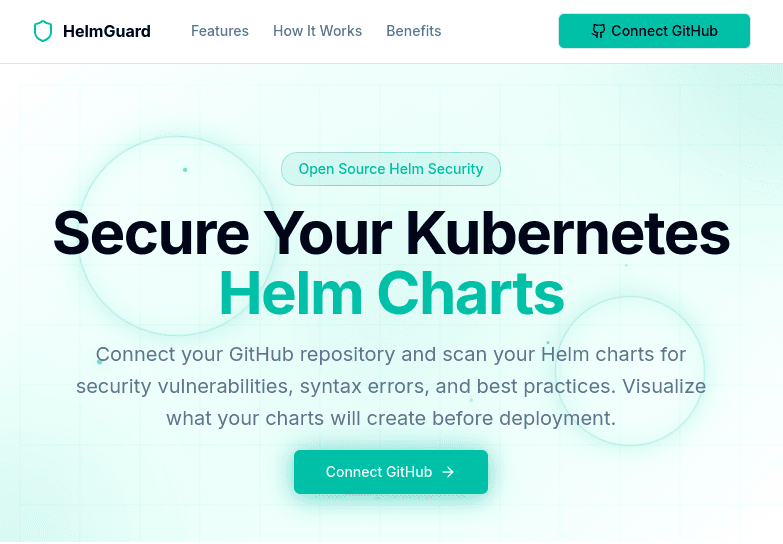
Point HelmGuard at a Helm chart and it renders it, tells you exactly which Kubernetes resources it would create, and reports what's wrong with them — running as root, privileged mode, hardcoded credentials — before any of it reaches a cluster.
Technologies
Go · Helm SDK · Kubernetes · TypeScript · REST API · GitHub OAuth
Overview
A Helm chart is a promise about what will exist in your cluster, written in templating syntax that resolves at install time. Reading one and predicting the outcome is genuinely difficult: values files override defaults, conditionals switch whole blocks on and off, and the manifest that finally lands is assembled from fragments scattered across a dozen template files. In practice most people install and find out.
HelmGuard closes that gap by doing the resolution for you. It fetches the chart, merges the values, renders it exactly as Helm would, and then analyses the actual Kubernetes manifests that come out. From there it answers three questions in one pass: what resources will this create, what is insecure about them, and how does it measure up against best practice.
It is a Go backend exposing a REST API, paired with a TypeScript frontend so results are readable by people who do not live in a terminal. Public charts can be scanned with no authentication at all; private repositories are reachable through GitHub OAuth, so a user can sign in, pick from their own repositories, and scan a chart that never had to be made public to be checked.
The Challenge
Context
Helm charts are the front door to most Kubernetes clusters, and they conceal a great deal. A chart pulled from a public repository can quietly run containers as root, request privileged mode, skip resource limits entirely, pin an image to `latest`, or carry credentials in a values file — and none of that is apparent from reading the templates, because what actually gets applied depends on values that are merged in at render time. Cluster-side admission controllers catch some of this, but by then the pull request has been approved, merged, and deployed. The check happens at the point where rejecting it is most expensive.
Problem Space
Give engineers a way to see exactly what a chart will produce, and what is wrong with it, at review time — without a cluster to install into, without trusting the chart enough to run it, and without requiring the reviewer to be the person who wrote it.
Approach
Render the chart, then analyse what actually comes out. The scanner downloads and extracts the chart, locates the chart directory, recursively merges the supplied values over the defaults, and renders the templates the way Helm itself would. Everything after that point operates on the resulting Kubernetes manifests rather than on the templates that produced them. This distinction is the whole design: static analysis of template source has to reason about branches that may never be taken and values that may be overridden, so it is simultaneously prone to false alarms and to missing the thing that actually ships. Rendering first collapses all of that uncertainty — what the analyser sees is what the cluster would get.
Resource prediction, so you know what you are about to create. Before any security judgement is made, HelmGuard reports the inventory: every Kubernetes resource the chart will create, with its kind, name, and namespace, plus the details that matter per type — the ports a Service will expose, the hosts an Ingress will claim, the size a PersistentVolumeClaim will request, how many keys a Secret or ConfigMap holds. This alone answers the question people usually resort to `--dry-run` for, and it is frequently where the surprises are: a chart that turns out to create a LoadBalancer, or claim a hostname, or provision storage nobody expected to be paying for.
A security rule set aimed at the failures that actually happen. Eight security rules run against the rendered output, each with a stable identifier, a category, a severity, and a specific remediation rather than just a complaint. They cover containers running as root, privileged mode, missing CPU and memory limits, images pinned to `latest` or left untagged, absent NetworkPolicies, writable root filesystems, containers that never drop Linux capabilities, and hardcoded credentials in templates. These are grouped under Security Context, Resource Management, Image Security, and Network Security, and graded critical through medium — because a privileged container and a missing NetworkPolicy are not the same conversation, and a tool that presents them as equals gets ignored.
Deliberate effort to keep false positives down. A scanner that cries wolf is worse than no scanner, because teams learn to skim past it. Credential detection in particular is a minefield: the string `password` appears constantly in field names, placeholder values, and template variables that resolve to a Secret reference rather than a literal. So the analysis includes explicit handling for likely false positives, separate logic for genuinely hardcoded credentials versus references, and a check for empty password fields as its own distinct case. That work is invisible when it succeeds, and it is the difference between a report people act on and one they dismiss.
Best-practice scoring across four dimensions, reporting what passed as well as what failed. Beyond the security rules, thirty best-practice checks run across four categories: Security, Reliability, Performance, and Maintainability. Reliability asks whether health checks are configured, whether replicas and pod disruption budgets exist, whether shutdown is graceful and updates roll. Performance looks at autoscaling, resource optimisation, and quotas. Maintainability covers documentation, naming conventions, version pinning, and template hygiene. Critically, the report lists the practices a chart follows alongside the ones it violates — partly because that is more useful for judging an unfamiliar third-party chart than a bare list of complaints, and partly because a wall of failures with no acknowledgement of what was done right is how tools lose their audience.
A REST API and a web UI, with GitHub OAuth for private charts. The Go backend is organised into clear internal packages for configuration, GitHub integration, chart scanning, and the HTTP server, and exposes a small REST surface: submit a public chart for scanning, submit a private one, and retrieve results by scan ID once the analysis completes. Private repositories are handled through a full GitHub OAuth flow — the user authorises, the backend lists their repositories, and they select the chart to scan, so nothing has to be made public in order to be checked. The TypeScript frontend renders the findings, which matters more than it sounds: chart review is often done by someone other than the chart's author, and a browsable report meets them where they are instead of assuming a terminal and a JSON parser.
No cluster, no credentials, no execution. Scanning happens entirely in a temporary working directory. HelmGuard never needs kubeconfig access, never authenticates to a cluster, and never installs anything — which means it is safe to point at an untrusted third-party chart, precisely the case where you most want to know what is inside before finding out the hard way. It also means the tool can sit early in a workflow, at review time, rather than late, at admission time, when the only remaining options are to accept the risk or roll back.
Outcomes
- Full resource inventory before install — kinds, names, namespaces, service ports, ingress hosts, and volume sizes
- Eight severity-graded security rules with specific remediation, run against rendered manifests rather than raw templates
- Thirty best-practice checks across Security, Reliability, Performance, and Maintainability, reporting passes as well as failures
- Explicit false-positive handling on credential detection, so the report stays worth reading
- Public charts scan with no authentication; private repositories via a full GitHub OAuth flow
- No cluster access, no kubeconfig, and no installation — safe to run against untrusted charts
- Open source across both repositories, backend and frontend
More Work
View all
Facing a similar architectural challenge?
A 30-minute architecture review usually surfaces the quickest reliability and FinOps wins — no pitch, just a look at what you've got.